
YouTube is the world’s most popular online video platform where billions of users watch and share videos every day. So how did YouTube come about, what features does it have, and how can it be used for businesses? Here are all the details you need to know about YouTube.
YouTube is an online video hosting platform that allows users to upload, share, and interactively engage with videos. Founded in 2005 by three former PayPal employees, the platform was acquired by Google in 2006.
Users can access millions of videos ranging from music videos to educational content, vlogs to original projects, and can share their own content.
Purpose of YouTube
The primary purpose of YouTube is to offer everyone the freedom to be a broadcaster and ensure that videos reach a wide audience. The platform facilitates content production that aligns with users’ various motivations and goals.

YouTube Statistics
YouTube provides comprehensive statistics for channel owners:
- View count and watch time
- Users’ geographical location, age, and gender
- Video like and comment statistics
This data helps channel owners optimize their content strategies.
YouTube’s History
- 2005: YouTube was founded by three former PayPal employees in the USA.
- First Video: A short video filmed at the zoo by co-founder Jawed Karim was uploaded.
- 2006: Google acquired YouTube for $1.65 billion.
- 2010: Reached approximately 2 billion views per day.

YouTube Features
YouTube has gained many new features over time:
- 4K video quality and 360° experience
- Supports formats like AVI, MPEG, FLV, WEBM, MP4, 3GPP, MOV
- Comments, likes, and sharing options
- YouTube Kids version for children
- Automatic playlists and viewing from different devices

Using YouTube for Businesses
YouTube is a powerful marketing tool for businesses:
- Corporate videos and promotions can be shared
- Advertisements can be targeted to the appropriate audience
- Visibility can be increased through viral ads and sponsored content
How to Create a YouTube Account/Channel?
- Create a Google account or use your existing account
- Click on the “Create Channel” option from the YouTube menu
- Create a personal or brand account
- Your channel is ready!

Video Uploading and Live Streaming
- Video Upload: Click on the camera icon at the top right → “Create” → “Select File”
- Live Streaming: Select “Start Live Stream” from the same camera icon
- Videos can be optimized by adding title, tags, and thumbnail

Tips for Increasing Subscriber Count
- Produce regular content (at least one video per week)
- Focus on video quality
- Respond to comments and engage with viewers
- Use social media and SEO tools
- Create original and engaging content

YouTube Ads
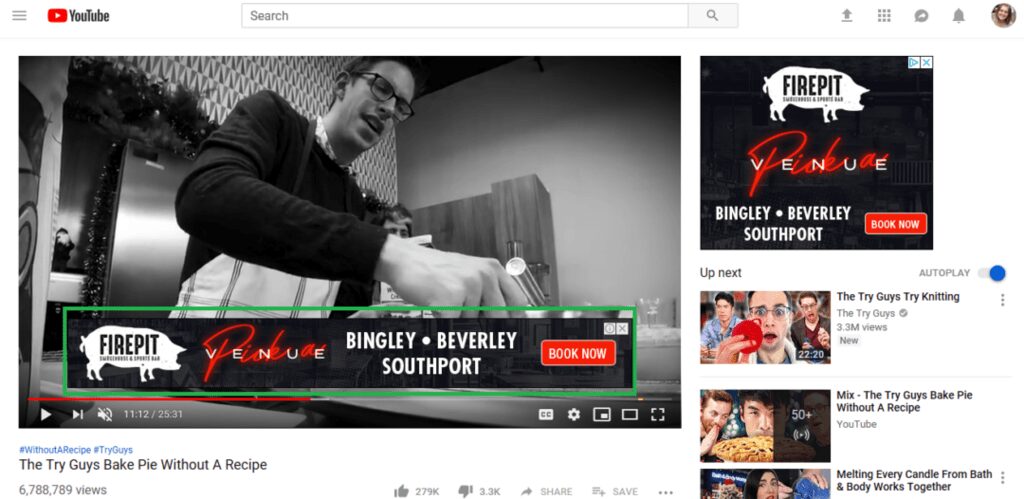
YouTube ads appear at the beginning or certain sections of videos and offer users a skip option. These ads:
- Provide visibility for companies
- Are a source of income for content creators
- Can present ads tailored to the target audience
YouTube is the hub of video sharing and digital visibility for both individual users and businesses. With the right strategy and content production, it is possible to reach millions of users. To go to YouTube, click here.
