
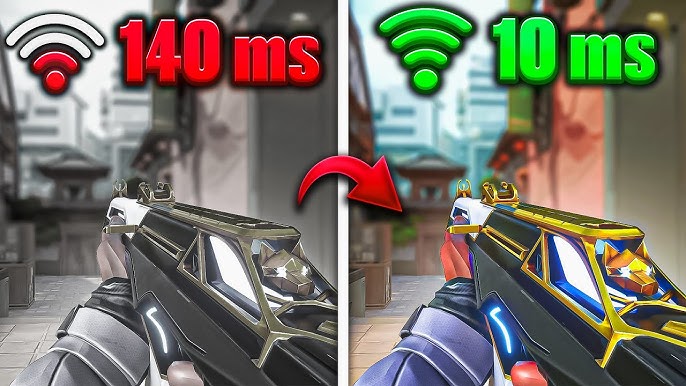
🧠 High ping in online games increases response time and directly affects performance. What should be done to reduce network latency in 2025, which settings make a difference?
Every millisecond counts in online games. Especially for players who play competitive games, the ping value determines the thin line between victory and defeat. High ping means delayed shots, laggy animations, and annoying connection issues. Even though internet infrastructures have improved by 2025, many players are still in pursuit of the answer to “How to reduce ping?”
In this guide, we explain step by step both basic and advanced methods to reduce ping, from modem settings to DNS options.
PING: WHAT IS IT AND WHY IS IT CRITICAL IN GAMES?
Ping (in milliseconds) is the time it takes for the computer to send and receive data to the server.
- 0-40 ms: Excellent
- 40-80 ms: Playable
- 80-120 ms: Noticeable delay
- 120+ ms: Serious disadvantage in competitive games
🎯 In games like FPS, MOBA, Battle Royale, low ping = faster response = advantageous gameplay!

🚫 MAIN ISSUES CAUSING NETWORK LATENCY
- Weak or unstable internet connection
- Using Wi-Fi (especially on the 2.4 GHz band)
- Distant servers (e.g., American servers instead of European ones)
- Background apps consuming data
- Old modem, network card, or drivers
✅ TOP 10 WAYS TO REDUCE PING IN 2025
1️⃣ USE WIRED CONNECTION (ETHERNET)
Wi-Fi signals can be affected by walls and devices. An Ethernet cable provides a direct connection, eliminating delay.
🎮 Almost all professional gamers use wired connections.
2️⃣ CHOOSE THE CLOSEST SERVER
Most games allow you to select server locations. The server closest to your country provides the lowest ping.
🌍 If you are in Turkey, servers like Amsterdam, Frankfurt, Paris are generally ideal.

3️⃣ CLOSE BACKGROUND APPLICATIONS
- Torrent clients
- Steam/Epic background updates
- Streaming services like YouTube, Netflix, Spotify
Close them all before starting competitive modes as they negatively affect ping.
4️⃣ CHANGE YOUR DNS
Using a fast DNS directs you to game servers more quickly.
RECOMMENDED DNS SERVERS:
- Google DNS:
8.8.8.8and8.8.4.4 - Cloudflare DNS:
1.1.1.1and1.0.0.1
5️⃣ ROUTE OPTIMIZATION: EXITLAG / NOPING
These are optimized network services that route game traffic through faster paths.
✅ Especially in games like League of Legends, CS:GO, Fortnite, the difference in ping is noticeable.
🧪 With ExitLag, you can achieve a connection of 40-50 ms to European servers from Turkey instead of 80 ms.
6️⃣ UPDATE YOUR MODEM AND USE THE CORRECT BAND
- Old modems can get clogged in high data traffic.
- If you will use Wi-Fi, switch to the 5 GHz band (faster and less noisy than 2.4 GHz).
7️⃣ ENABLE QoS (QUALITY OF SERVICE) FEATURE
QoS is a network management feature on your modem that prioritizes game traffic.
- Brands like Asus, TP-Link, Zyxel have this feature.
8️⃣ UPDATE NETWORK CARD DRIVERS
Especially if the Ethernet drivers on the motherboard are not up to date, there may be issues with network performance.
🧉 Device Manager > Network Adapters > Right Click > Update Driver

9️⃣ CHECK IN-GAME NETWORK SETTINGS
- Reduce packet sizes
- Balance network refresh rate
- Choose between UDP/TCP modes
Games like Valorant, Apex Legends, PUBG allow these settings. Check detailed settings within the game.
🔟 CHANGE INTERNET SERVICE PROVIDER (ISP)
Some ping issues are ISP-related. If you constantly experience high ping and other solutions are ineffective, consider trying a different provider.
Fiber internet is the most stable connection type in terms of ping.

📌 SUMMARY: CHECKLIST TO REDUCE PING
✅ Use an Ethernet cable
✅ Choose the closest server
✅ Close background applications
✅ Change DNS
✅ Check modem/QoS settings
✅ Use ExitLag or NoPing
✅ Play with up-to-date drivers
✅ Consider changing ISP if necessary
